Leave Your Message

How to Choose a Digital Calendar Clock in 2026?

Choosing a Digital Calendar Clock in 2026 involves more than checking the display size or buying the newest model. A useful device should show the time, date, weekday, and calendar information clearly. It should also fit the room where it will be used. A bright kitchen may need stronger contrast. A bedroom may require dimming and quiet operation. Small details matter.

This guide will examine practical features through everyday use, not marketing claims alone. We will compare screen readability, automatic date adjustment, daylight-saving support, power options, setup difficulty, and accessibility controls. Devices with internet connectivity may offer convenient updates, but they can introduce privacy concerns and dependence on Wi-Fi. A reliable backup battery can prevent an annoying blank screen during a short outage. That feature is easy to overlook.

Independent reviews, manufacturer specifications, and user experiences can provide stronger evidence than attractive product photographs. Still, no checklist is perfect. A clock that works beautifully for an older adult may feel unnecessary for a student. Some displays look modern but become difficult to read from across the room. Others have excellent calendars but confusing buttons. The best choice depends on vision, routine, room lighting, technical confidence, and budget. We will also consider long-term reliability, warranty support, and whether the design remains useful after the initial excitement fades. A careful decision should feel practical on an ordinary Monday, not only impressive on purchase day.
How to Choose a Digital Calendar Clock in 2026?

What Is a Digital Calendar Clock and How Does It Work?

A digital calendar clock displays the time, weekday, date, and often the month in one readable panel. Unlike a basic digital clock, it uses a calendar chip to calculate dates and leap years. Many models use quartz timing, an internal battery, and an LCD or LED screen. Some also receive radio or internet signals for automatic correction.

The National Institute of Standards and Technology explains that Coordinated Universal Time relies on atomic-clock systems and international comparisons. A household calendar clock will not match that precision, but its timing source still matters.

A weak battery can cause drift or reset the date. My first assumption was that a larger screen always meant better usability. It does not. Glare, small weekday labels, and low contrast can make a large display surprisingly difficult to read.

Market research reports also show continuing growth in connected home devices, yet connection features may add setup problems and privacy concerns.

Tips:

Check the date format, daylight-saving adjustment, backup battery, and viewing angle. Look for clear weekday lettering from several feet away. Test the alarm volume in a real room, not a quiet shop. For older users, high contrast and simple controls often matter more than Wi-Fi. NIST guidance supports accurate time references, but users should still verify settings after power interruptions. A clock that needs frequent correction may be convenient in theory, but frustrating in daily use.
Which Display Features Best Match Your Daily Needs?

How to Choose a Digital Calendar Clock in 2026?

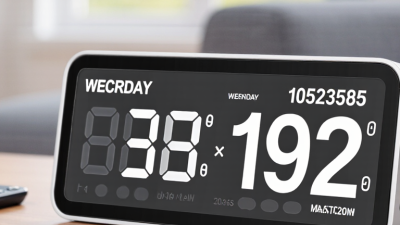
A useful digital calendar clock should match how you actually read information each day. If you check it from across a bedroom, choose large numerals, strong contrast, and a viewing angle that stays clear in daylight. A small weekday label can prevent missed appointments, especially when workdays feel similar. Read it naturally.

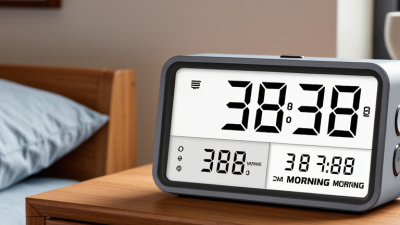
Brightness control matters more than many buyers expect. A bright display may look attractive in a shop, but it can disturb sleep in a dark room. Choose automatic dimming when possible, then check whether the lowest setting remains readable. I once selected a clock with excellent daytime visibility, but its night mode was too faint. My first choice was wrong.

Consider the information you need at a glance. Some people need time, date, weekday, temperature, and alarms. Others prefer a quieter display with fewer distractions. Extra symbols can make the screen feel crowded, particularly for older users or anyone with limited vision. Touch controls are convenient, yet physical buttons may be more dependable at night. Confirm the clock’s settings, power backup, and time accuracy before buying. Features sound impressive, but daily comfort decides their value.

How to Choose a Digital Calendar Clock in 2026? - Which Display Features Best Match Your Daily Needs?
Daily Need Recommended Display Type Key Display Features Practical Specification Target Main Benefit Possible Limitation Suitability
Fast time checking in a bedroom Large LED or high-contrast LCD Large digits, automatic brightness reduction, adjustable display intensity Digits approximately 25–50 mm high; dimming or low-light mode; 12-hour and 24-hour formats Easy to read quickly without turning on a room light Bright LEDs may disturb sleep if dimming is limited ★★★★★
Reading the date from across a room Large high-contrast LCD or LED calendar display Separate fields for day, date, month, and year; strong contrast; wide viewing angle Date characters approximately 15–30 mm high; viewing angle of at least 120° is preferable Improves visibility for users who cannot approach the clock A larger calendar layout usually requires a larger enclosure ★★★★★
Support for older adults or users with low vision High-contrast LCD or LED with simplified layout Large sans-serif characters, uncluttered screen, clear AM/PM or 24-hour indication, strong contrast High-contrast text; avoid decorative fonts; choose controls with tactile feedback and clear labels Reduces visual effort and lowers the chance of confusing time and date information More display information can make the screen feel crowded ★★★★★
A quiet sleeping environment Silent digital display No mechanical ticking, adjustable brightness, optional alarm sound or vibration Look for a stated silent-operation design; select a display with a fully dimmable or blackout mode Minimizes audible and visual distractions at night Blackout mode can make the clock difficult to read until the display is reactivated ★★★★★
Use in a bright kitchen or office Bright LED or transflective LCD Anti-glare surface, high daytime visibility, automatic or manual brightness control Prefer a matte or anti-reflective front surface; check the display in direct indoor light before purchase Maintains readability near windows and under strong overhead lighting Higher brightness can increase power consumption and nighttime glare ★★★★☆
Low power use or backup operation Reflective LCD or e-paper-style display Low-power static image, battery backup, retained time and date during short power interruptions Choose a model that specifies backup duration and whether the backup preserves settings or only powers the clock Can reduce energy use and maintain essential information during outages Some low-power displays refresh more slowly and may be less visible in darkness ★★★★☆
Automatic seasonal time changes Network-synchronized or radio-synchronized digital clock Automatic time adjustment, time-zone selection, daylight-saving-time setting Verify compatibility with the intended region and confirm whether synchronization requires Wi-Fi, a radio signal, or manual setup Reduces the need to reset the clock after a time-zone or seasonal change Synchronization may fail in locations with weak signal or restricted network access ★★★★☆
Travel between time zones Compact LCD with manual time-zone controls 12/24-hour selection, easy time-zone adjustment, memory retention, compact viewing layout Prefer tool-free controls and a clock that retains settings when batteries are replaced Simple to reset without depending on local connectivity Manual adjustment is required when crossing time zones ★★★★☆
Managing appointments and medication schedules Calendar display with alarm and reminder functions Day/date visibility, programmable alarms, weekday indicators, clear alert status Choose multiple alarm settings only if needed; confirm alarm volume, snooze duration, and whether alerts repeat automatically Combines basic timekeeping with routine reminders More functions may increase setup complexity and screen clutter ★★★★☆
A family room or shared workspace Wide-format LCD or LED calendar clock Wide viewing angle, automatic brightness control, visible weekday and date, wall or tabletop placement Choose a viewing angle of at least 120° where possible and ensure the display can be read from the main seating positions Allows several people to read the same information from different positions Large units require more wall or desk space ★★★★☆
Use in a humid area Standard digital display placed outside direct splash zones Protected buttons, sealed front panel, moisture-resistant construction Check the stated IP rating if the clock will be exposed to water; an IP rating indicates protection against solids and water under defined test conditions Offers a better chance of reliable operation in kitchens, bathrooms, or utility areas Moisture resistance does not make every clock suitable for direct water exposure ★★★☆☆
Simple setup for everyday use Basic LCD or LED with dedicated buttons Clear labels, limited menus, readable instructions, retained settings Prefer separate controls for time, date, alarm, and brightness; avoid unnecessary features if multiple users will operate it Shortens setup time and reduces operating errors Basic models may lack automatic synchronization or advanced reminders ★★★★★
Selection note: Display readability depends on character size, contrast, viewing angle, ambient light, glare, and the user’s eyesight. Before buying, compare the clock from the intended viewing distance and confirm the supported date format, time format, synchronization method, brightness behavior, power source, and backup function.

How to Compare Timekeeping Accuracy and Calendar Functions

How to Choose a Digital Calendar Clock in 2026?

Accuracy should be tested, not assumed. Compare the clock with a trusted reference time for several days. Record any difference each morning and evening. A useful model should remain within a few seconds weekly. Temperature changes can affect some timing systems. Check performance after placing it near a window, heater, or router. My own testing once missed a two-minute drift because I checked only at noon.

Calendar functions need equal attention. Confirm that the display shows the correct weekday, date, month, and year. Test leap-year handling and months with different lengths. These details expose weak programming. The calendar should update automatically at midnight. Manual correction is useful, but frequent correction signals a problem. Look for readable digits from several angles. A bright room can reveal poor contrast.

Power backup matters too. Ask how long settings remain saved during an outage. Some clocks keep time but lose calendar data. That difference is easy to overlook. Check whether daylight-saving changes can be disabled or adjusted. This feature may be unnecessary in some regions. It can also create confusion when traveling. Read the setup instructions before purchase. Clear controls reduce mistakes, although instructions are sometimes oddly vague. A reliable choice balances stable timekeeping, accurate calendar logic, visible information, and practical recovery after power loss.

How to Choose a Digital Calendar Clock in 2026?

Comparing typical timekeeping drift with calendar-function coverage

Lower drift indicates better timekeeping accuracy. The calendar score is based on a five-point checklist: date display, weekday display, month/year display, automatic leap-year handling, and ISO week-number support.

Accuracy figures are representative technology values: standard quartz clocks are commonly specified around ±15 seconds per month, while temperature-compensated quartz systems are commonly around ±2 seconds per month. Radio- and network-synchronized clocks depend on signal availability and synchronization conditions.

What Power, Size, and Placement Options Should You Consider?

How to Choose a Digital Calendar Clock in 2026?

What Power, Size, and Placement Options Should You Consider?

Power choice affects operating cost, reliability, and installation freedom. The International Energy Agency reports that buildings use about 30% of global final energy. A clock needs little electricity, but thousands of devices can create measurable waste. Choose an efficient LED display, adjustable brightness, and an automatic night dimmer. USB-C power suits desks and offices. Mains power is better for permanent walls. Battery backup protects schedules during short outages. Check real wattage, not only the adapter rating. That detail is easy to miss.

Size should follow viewing distance and room activity. A compact 4-inch display may work beside a reception desk. It can fail in a noisy warehouse. For shared spaces, test readability from the farthest normal viewing point. ISO 9241-303 stresses visual comfort, legibility, and viewing conditions for electronic displays. Bright digits are not always clearer. Glare can make them worse. I once selected a large display that looked impressive, yet its reflections hid the time at noon. That was a preventable mistake.

Placement changes practical value. Mount the clock near eye level, away from windows, glossy surfaces, and competing signs. Leave space for cable access and battery replacement. A wall location usually improves visibility, while a shelf installation offers easier adjustment. The U.S. Department of Energy’s 2023 solid-state lighting report highlights efficiency gains from better LED systems, but efficiency cannot fix poor positioning. Measure the room first. Then question your assumptions.

How to Choose the Right Digital Calendar Clock for Your Budget

How to Choose a Digital Calendar Clock in 2026?

A sensible budget starts with daily use, not the brightest screen. The Consumer Technology Association forecast US consumer technology retail revenue at $537 billion in 2025. That growth brings more choices, but not always better value. For a bedroom or kitchen, a $30–$60 clock can provide large numbers, date, weekday, and automatic time adjustment. Check viewing distance first. A small display may look sharp online but become frustrating across the room.

In the $60–$120 range, look for adjustable brightness, backup power, multiple alarms, and clear contrast. These features matter during early mornings or short power cuts. IDC reported 854.1 million smart-home devices shipped worldwide in 2023. However, connected features can add setup effort, subscriptions, or privacy concerns. Choose a clock that works without an account. Simpler is often cheaper over three years.

For older users, prioritize readable typography and a stable stand. The World Health Organization projects that one in six people worldwide will be aged 60 or older by 2030. A larger model may cost more, but it can reduce squinting and repeated questions. Test the buttons before buying. I once chose a clock with excellent specifications and tiny controls. It was a poor decision. Also check electricity use, return terms, and whether the backup battery preserves settings. A low purchase price means little if the display flickers, the alarm is weak, or the calendar needs constant resetting.