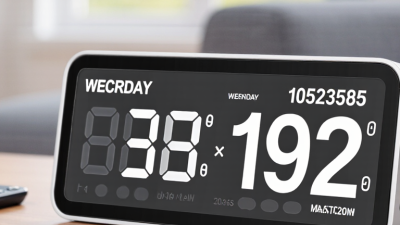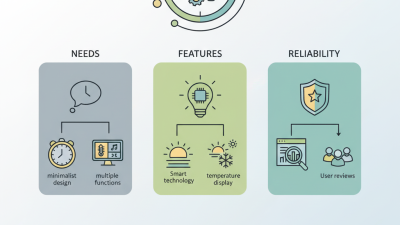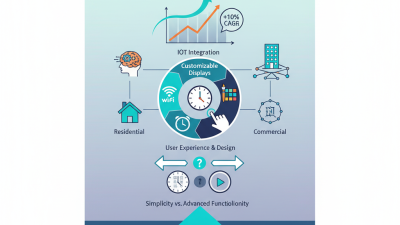
Choosing a Digital Calendar Clock for business requires more than comparing screen size and purchase price. The device should fit real workplace routines, including meetings, shift changes, visitor schedules, and shared deadlines. Microsoft’s Work Trend Index 2023 reported that 73% of employees wanted flexible remote-work options, while 67% still valued in-person collaboration. This creates a practical need for visible, reliable time and date information across offices, reception areas, factories, and service environments.
A suitable clock should offer clear typography, strong contrast, adjustable brightness, and dependable calendar synchronization. In a busy reception area, employees should read the date from several meters away without standing directly beneath the display. For international teams, automatic time-zone support can prevent small but costly scheduling mistakes. NIST guidance on time dissemination also reinforces the importance of traceable and accurate time information in technical operations. Accuracy matters.
Businesses should also examine network security, software updates, power-failure recovery, mounting options, and warranty support. A device that looks impressive during installation may become difficult to manage across twenty locations. Gartner’s research on digital workplace transformation repeatedly highlights the importance of integrated, manageable technology rather than isolated hardware. However, every business has different constraints. A warehouse may prioritize durability and visibility, while a hotel may need design quality and multilingual date formats. The best decision comes from testing the clock in its actual environment. Specifications help, but they do not tell the whole story. Often, that is where the real evaluation begins.
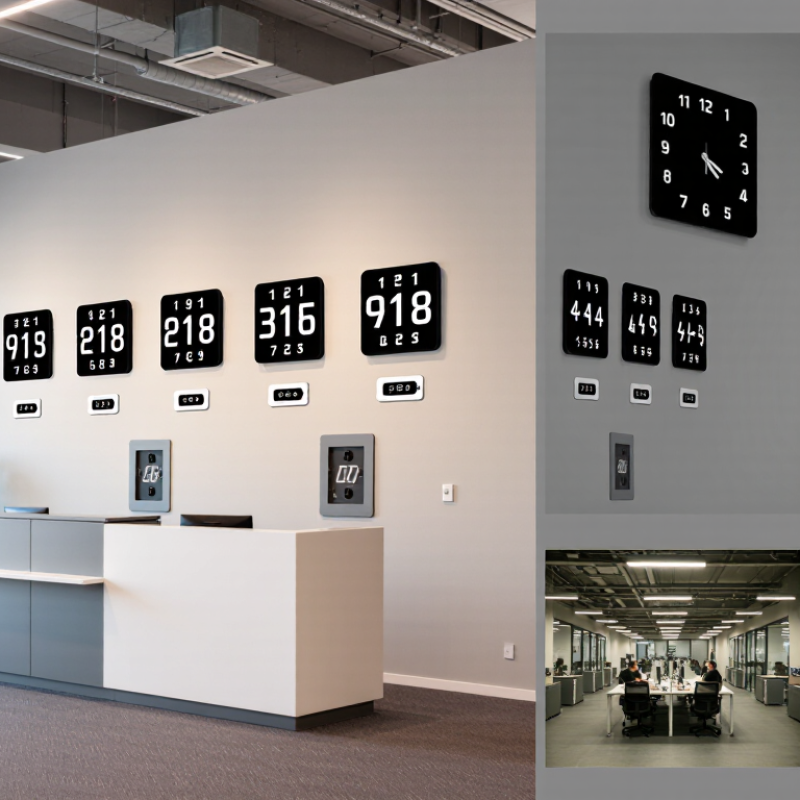
A digital calendar clock does more than display time. It connects daily schedules with a visible, shared reference point. In reception areas, meeting rooms, clinics, and workshops, employees can quickly check the date, time, and upcoming occasions. This reduces repeated questions and supports smoother coordination.
Choosing the right device requires more than comparing screen size. Consider viewing distance, lighting, time-zone settings, date formats, and power reliability. A bright display may help visitors, but excessive brightness can distract staff. Automatic time adjustment is useful, yet it should be checked after installation. Small errors can affect meetings, deliveries, and shift changes.
The clock should fit the organization’s actual workflow. A wall-mounted unit may suit a busy entrance, while a compact model may work better near a shared desk. Clear digits support older visitors and people with limited vision. We have seen that simple controls encourage regular use. Complex features often remain untouched. That is not always a technology problem; it may reflect poor training or an unclear purpose. Businesses should also review privacy and network settings when the clock connects to online services. Reliable documentation, warranty terms, and accessible technical support add practical value. Even a well-designed clock needs periodic checks for accuracy, visibility, and changing workplace needs.
Choosing a digital calendar clock for business starts with observing the workplace, not comparing screens.
A reception desk may need a large, readable date and time.
A production floor may need shift changes, break periods, and warning alerts.
Meeting rooms require quick visibility of bookings. Different spaces create different priorities.
I once saw a shared office use a bright display that looked impressive but distracted employees during presentations. That experience changed my view.
Screen brightness, viewing distance, and noise levels deserve careful testing.
A useful calendar clock should support multiple schedules, recurring events, time zones, and public holidays. It should also adjust automatically when working hours change.
Look for simple calendar controls. Staff should update events without lengthy training.
Clear fonts and strong contrast help employees with limited vision.
A quiet alert may suit an office, while a visible color change may work better in a warehouse.
Integration with existing calendars can reduce duplicate entry, but compatibility must be checked before purchase.
Security matters too. Access permissions should prevent unauthorized changes.
Reliable network recovery is important when the connection fails. It happens.
Maintenance time should be measured honestly, because even a useful device can become neglected. Future needs also deserve attention, although predicting every change is impossible. A practical choice leaves room for revised shifts, new rooms, and expanding teams.
Choosing a digital calendar clock for business starts with visibility, not decoration. LCD panels suit reception desks and meeting rooms because they show sharp dates, times, and schedules. LED displays work better across large offices or warehouses. E-paper screens create less glare, but their slower updates can frustrate busy teams.
Measure the viewing distance before selecting screen size. A useful human-factors rule places character height near one two-hundredth of viewing distance. It is practical, not perfect. A clock viewed from 20 meters may need characters around 100 millimeters high. Test this with real employees, including people wearing glasses. My first assumption was that brighter always meant clearer. It did not.
Lighting and placement strongly affect readability. HSE guidance linked to EN 12464-1 commonly recommends 500 lux for office reading and writing tasks. Excessive contrast or direct window reflections can still obscure numbers. Place the clock above eye level, but avoid a ceiling angle that causes neck strain. The U.S. Energy Information Administration’s 2018 Commercial Buildings Energy Consumption Survey found lighting used 17% of commercial building electricity. Power-saving brightness schedules deserve attention. However, an overly dim display becomes useless.
Place it where people naturally pause, not where designers think they should pause. A 2024 AVIXA industry outlook also shows professional audiovisual environments continuing to expand, yet many installations still overlook simple viewing tests. Ask three employees to read the calendar from the farthest seat. If they hesitate, the screen is too small, too dim, or poorly placed.
Choosing a digital calendar clock for business starts with connectivity, not screen size. A reliable unit should support wired Ethernet, secure Wi-Fi, and automatic time synchronization. Network access must remain stable during brief outages. Otherwise, a perfect schedule becomes decoration.
McKinsey Global Institute reports that interaction workers spend about 28% of their workweek reading and answering email. Nearly 20% goes to communication and collaboration. A shared calendar clock can reduce repeated checking, but only when it connects with existing scheduling platforms. Check support for calendar APIs, time-zone rules, recurring events, room reservations, and holiday changes. Test daylight-saving transitions. They still cause problems. The device should also offer role-based access and encrypted data transfer, reflecting security principles in NIST’s Digital Identity Guidelines.
Scheduling tools should match real workplace behavior. Employees may need color-coded meetings, countdowns, occupancy indicators, or emergency notices. A manufacturing floor needs different controls from a quiet office. Confirm whether administrators can update several displays remotely. Manual updates look manageable at first. They rarely stay manageable. Also evaluate compatibility with current operating systems, authentication methods, and network policies. A useful trial should include a busy day, a lost connection, and a last-minute room change. If the clock recovers slowly, displays conflicting information, or requires specialist support, the purchase decision needs more reflection.
How to Choose a Digital Calendar Clock for Business?
Assessing Reliability, Security, Cost, and Long-Term Support
A business digital calendar clock should do more than show a neat date. In a small office trial, staff checked it during a 7:45 meeting and at visitor sign-in. Readability mattered immediately. So did recovery after a power cut. Choose a unit with stable time synchronization, visible status alerts, and a backup clock source. Test it near windows, printers, and wireless equipment. Interference can expose weaknesses that product sheets rarely mention. I initially underestimated mounting quality. The loose bracket became a daily distraction.
Security deserves practical questions. Can administrators use individual accounts? Are passwords protected and access logged? Does the device encrypt updates and network traffic? Ask how quickly vulnerabilities are disclosed and patched. Disable unused ports and remote features. Keep network permissions narrow. A clock may look harmless, yet it can still become an overlooked network endpoint. The safest choice is not always the cheapest. Compare purchase price, installation labor, replacement batteries, licensing, energy use, and support fees. Calculate the three-year cost. A low initial price can hide expensive maintenance.
Long-term support should be part of the buying decision. Check warranty length, spare-part availability, firmware support, and documented update procedures. Request a service contact with clear response times. Test support before purchase by sending a technical question. The reply often reveals more than sales material. Keep configuration backups and a simple replacement plan. My own evaluation was incomplete because I measured display accuracy but ignored staff training. That gap mattered. A reliable clock still fails operationally when nobody knows how to change its time zone or report an alert.
| Evaluation Dimension | What to Check | Basic Standalone Profile | Networked Business Profile | Enterprise Managed Profile | Recommended Priority |
|---|---|---|---|---|---|
| Time Accuracy | Automatic time synchronization, daylight-saving adjustment, and visible time-zone settings. | Manual setting or periodic radio synchronization; typically suitable for one location. | Network Time Protocol synchronization; centralized configuration for multiple displays. | Redundant time sources, audit logs, role-based administration, and centralized monitoring. | High |
| Reliability | Expected operating life, power recovery, screen visibility, thermal management, and failure alerts. | Low installation complexity; limited remote diagnostics; backup battery may preserve settings. | Remote status checks, scheduled reboot options, and power-over-Ethernet availability on selected models. | Health monitoring, redundant deployment options, event alerts, and documented recovery procedures. | Critical |
| Cybersecurity | Encrypted administration, unique credentials, firmware updates, network segmentation, and access logs. | Lowest network exposure when operated offline; physical access controls remain important. | Secure web administration, encrypted network traffic, password policies, and update support. | Role-based access, single sign-on compatibility, centralized patch management, and security reporting. | Critical |
| Connectivity | Wired or wireless options, network requirements, offline behavior, and integration capability. | No network required; usually limited to local scheduling and manual updates. | Ethernet or Wi-Fi; supports centralized time, schedule, and content management. | Managed network deployment, directory integration, APIs, and multi-site administration. | Medium–High |
| Display Readability | Viewing distance, character height, brightness, viewing angle, glare control, and ambient-light performance. | Best for small rooms and short viewing distances; limited brightness adjustment. | Adjustable brightness and larger display options for offices, reception areas, and production floors. | High-visibility displays with scheduling, sensor-based brightness, and accessibility options. | High |
| Installation Requirements | Mounting method, power outlet location, cable routing, network port, and physical security. | Standard electrical outlet and wall or desk mounting; usually completed in less than one hour. | Network configuration and professional cable installation may be required. | Site survey, network-security review, asset registration, and formal commissioning are commonly required. | Medium |
| Indicative Hardware Cost | Compare purchase price, mounting hardware, power accessories, and installation labor. | Approximately US$50–US$250 per display, excluding installation. | Approximately US$200–US$800 per display, depending on size and connectivity. | Approximately US$600–US$2,000+ per display, depending on redundancy and management features. | Medium |
| Ongoing Software Cost | Check subscription terms, device limits, update fees, and cloud-storage charges. | Usually US$0 when no cloud management or subscription service is used. | Typically US$0–US$15 per display per month for optional management services. | Typically US$10–US$40+ per display per month for advanced monitoring and administration. | High |
| Maintenance | Ease of cleaning, replacement parts, firmware process, and troubleshooting documentation. | Low routine maintenance; fault diagnosis generally requires on-site inspection. | Remote configuration reduces site visits; replacement usually involves swapping the complete unit. | Centralized monitoring, documented service procedures, spare-unit planning, and service-level options. | High |
| Long-Term Support | Published support period, replacement availability, security-update policy, and documentation quality. | Often suitable for short-term or low-risk use; verify replacement availability before purchase. | Look for at least 3–5 years of firmware and spare-part support. | Prefer a documented 5–10 year lifecycle, migration tools, and contractual service commitments. | Critical |
| Best-Fit Business Scenario | Match the device to location count, operational risk, visibility requirements, and IT resources. | Small office, meeting room, classroom, or single-site low-risk application. | Multi-room office, healthcare facility, warehouse, school, or distributed business site. | Airports, factories, financial operations, data centers, hospitals, and multi-site enterprises. | Decision-Defining |
| Planning note: Cost ranges are indicative budgeting figures in United States dollars and vary by display size, installation complexity, connectivity, support terms, and purchase volume. Confirm technical specifications, security certifications, update policies, warranty coverage, and total cost of ownership before procurement. | |||||