How to Choose the Best Elderly Clock for Seniors?
Choosing the best Elderly Clock is not simply a matter of selecting the largest numbers.
Ageing needs are becoming more visible worldwide. The World Health Organization reports that about 1 billion people were aged 60 or older in 2020. This number may reach 1.4 billion by 2030 and 2.1 billion by 2050. These figures show why accessible timekeeping deserves careful attention. A clock can support daily routines, medication reminders, appointments, and greater independence. However, it cannot replace personal care or professional medical advice.
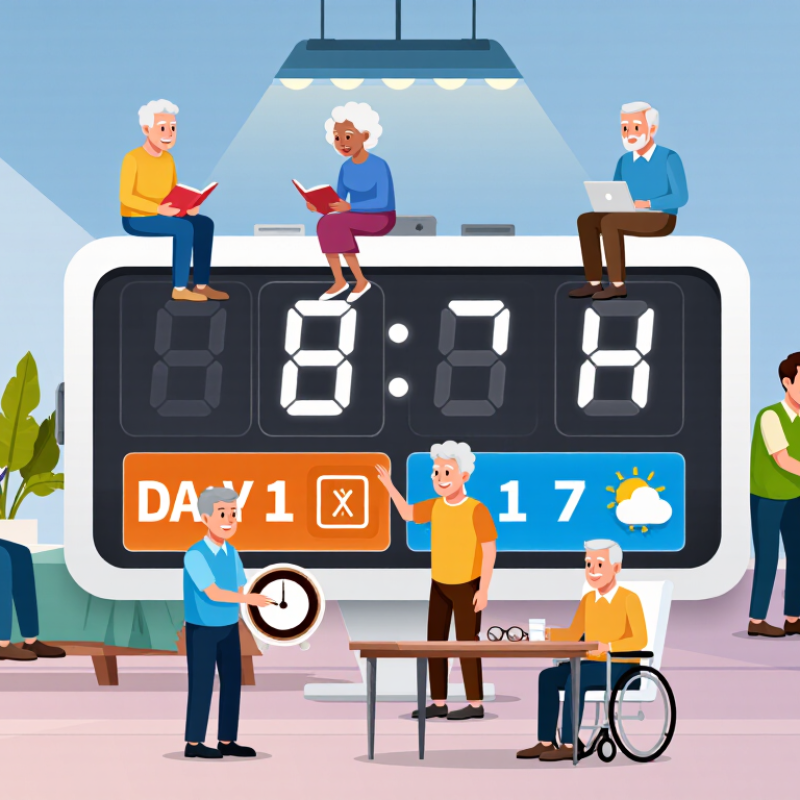
The Alzheimer’s Association’s 2024 Facts and Figures report estimates that 6.9 million Americans aged 65 and older live with Alzheimer’s disease. Cognitive changes may make ordinary displays harder to read or interpret. A clear Elderly Clock should therefore offer strong contrast, readable digits, dependable time accuracy, and simple controls. Some models also display the day, date, weather, or time period. These features can reduce uncertainty beside a quiet bedside table.
Still, more functions do not always mean better support. That assumption is easy to make. A complicated menu may frustrate someone with limited vision, reduced dexterity, or memory difficulties. The National Institute on Aging encourages practical, person-centered approaches to ageing and daily safety. Families should observe real routines before buying. Does the user read without glasses? Can they adjust buttons? Is the alarm gentle enough? The right choice depends on these details, not marketing claims alone. This guide compares essential features, display design, accessibility, reliability, and value, while acknowledging one uncomfortable truth: even a well-designed clock may need regular human support.
Identify the Timekeeping Needs of the Senior User
Choosing the best elderly clock starts with the senior’s daily timekeeping needs, not the clock’s appearance. Observe where the clock will sit. A hallway clock may need brighter numbers than one beside a bed. Ask whether the user reads a 12-hour or 24-hour display comfortably. Simple matters.
A clear display should show large digits, strong contrast, and minimal visual clutter. Some seniors need the weekday and date because routines can become confusing. Others need a quiet clock with a gentle alarm for medication, meals, or appointments. For limited hearing, flashing indicators may help. For low vision, spoken time or adjustable brightness could be useful. Check whether buttons feel firm and easy to identify. Tiny controls often cause frustration. A backup battery is also practical during power interruptions.
Tips: Watch the senior use the clock for three days. Note missed alarms, repeated questions, and difficulty reading the display. Let the user adjust the settings independently. Test the alarm from another room. Keep the instructions nearby. Simple works best. A larger screen is not always better; glare, excessive information, or bright light may disturb sleep. I would also review the choice after a week, because needs can change faster than expected.
Compare Display Features for Clear and Comfortable Reading
Choosing an elderly clock should begin with display comfort, not decoration. A readable screen can support confidence during mornings, medication routines, and nighttime checks.
The World Health Organization’s World Report on Vision estimates that at least 2.2 billion people experience near or distance vision impairment. Age-related changes often reduce contrast sensitivity and focusing ability. Therefore, choose large numerals with strong contrast, generous spacing, and a matte, low-glare surface. A dark room still needs gentle brightness. Adjustable illumination is useful because excessive light can disturb sleep.
Contrast matters more than novelty. WCAG 2.2 recommends a minimum contrast ratio of 4.5:1 for normal text, offering a practical reference for digital clock displays. However, older users may need more than a technical pass. View the clock from a chair, doorway, and bedside position. Check whether the digits remain clear from different angles. Some displays look excellent in a store but become weak under sunlight. That detail is easy to miss.
Tips: Test the clock with the intended user. Ask them to read the time without help. Choose simple layouts showing only essential information, such as time, weekday, and date. Avoid crowded symbols. A softer night mode may help, although personal sleep habits differ. I would not assume the largest display is always best; oversized digits can feel visually tiring when spacing is poor. Adjustable font size, brightness, and viewing angle usually provide greater long-term value.
Evaluate Alarms, Reminders, and Daily Schedule Functions
When choosing an elderly clock, look beyond the size of its display. Check whether alarms are easy to set and loud enough to hear from a bedroom or kitchen. A gentle sound may suit someone who dislikes sudden noise, while a stronger tone can help if hearing is reduced. If possible, test the volume in the room where the clock will be used. The bedside table can feel very different from a quiet shop.
Reminders should be clear, not crowded. A clock that can show prompts for medicine, meals, or appointments may help support familiar routines. Make sure the message is readable at a glance and stays visible long enough to understand. Some people may prefer spoken reminders; others find them distracting. That choice is personal. Also consider who will set the reminders and how often they may need changing. A complicated menu can turn a helpful device into another chore.
Daily schedule functions are most useful when they reflect real habits. Look for simple ways to display morning, afternoon, and evening activities, with distinct wording or colors if those are comfortable to read. Check whether the clock adjusts for daylight saving time and power interruptions, since a reset schedule can cause confusion. It is easy to assume more features mean better support. They do not always. A plain clock with a few dependable alarms may fit one person better than a full schedule display. A short trial at home can reveal missed alerts, awkward controls, or text that looks smaller in evening light.
Check Accessibility, Safety, and Ease of Operation
How to Choose the Best Elderly Clock for Seniors?
Check Accessibility, Safety, and Ease of Operation
A useful clock should be readable from the bed, not just across a bright showroom. Look for large, high-contrast digits and a display that avoids glare in daylight. Check whether the time remains clear from a seated or reclined position. If the user has reduced vision, spoken time or adjustable brightness may help. But very bright displays can disturb sleep, so test the dimmest setting in a dark room.
Controls matter just as much. Buttons should be distinct, easy to press, and labeled in plain language. Avoid clocks that require several steps to change a basic alarm. A family member can test the setup, then ask the intended user to repeat it independently. That small check often reveals confusing controls. Safety deserves a close look, too: choose a stable clock with a secure power connection, and consider backup batteries for outages. Keep cords away from walking paths and bedside edges. If the clock includes an alarm, make sure its sound is noticeable but not startling. Preferences vary, and a feature that seems helpful may become frustrating in daily use.
Choose the Right Clock Type, Placement, and Maintenance Plan
How to Choose the Best Elderly Clock for Seniors?
Choose the clock type around the person’s daily habits. A large, high-contrast digital display can help someone who struggles to read small hands. A talking clock may suit low vision, while a day-and-date display can reduce confusion about time and routine. Try the controls together before buying; tiny buttons can be harder to manage than they appear. Keep the choice personal.
Placement matters as much as the display. Put the clock where it can be read from bed or a favorite chair, without requiring a stretch or a trip across a dim room. The CDC reports that more than one in four adults aged 65 and older falls each year. A clock should not create another reason to cross a cluttered floor at night. Check the viewing angle in daylight and after dark. Glare can make even large numbers difficult to see.
Tips: Set the correct time and date, then confirm the alarm volume is comfortable. Replace batteries on a regular schedule, and check backup power after an outage. Wipe the screen with a soft, dry cloth; avoid spraying cleaner into buttons. Review the settings occasionally, especially after a daylight-saving change or a move. Small detail. A clock that is easy today may need adjusting later.
Digital day-and-date clocks can make time and calendar information easy to read at a glance. Talking clocks provide spoken time, while projection clocks show the time on a wall or ceiling. Analog clocks offer a familiar visual format. Features vary by model; check display size, readability, controls, and power requirements, then place the clock where it can be seen or heard comfortably.