What Is the Best Large Display Digital Clock?
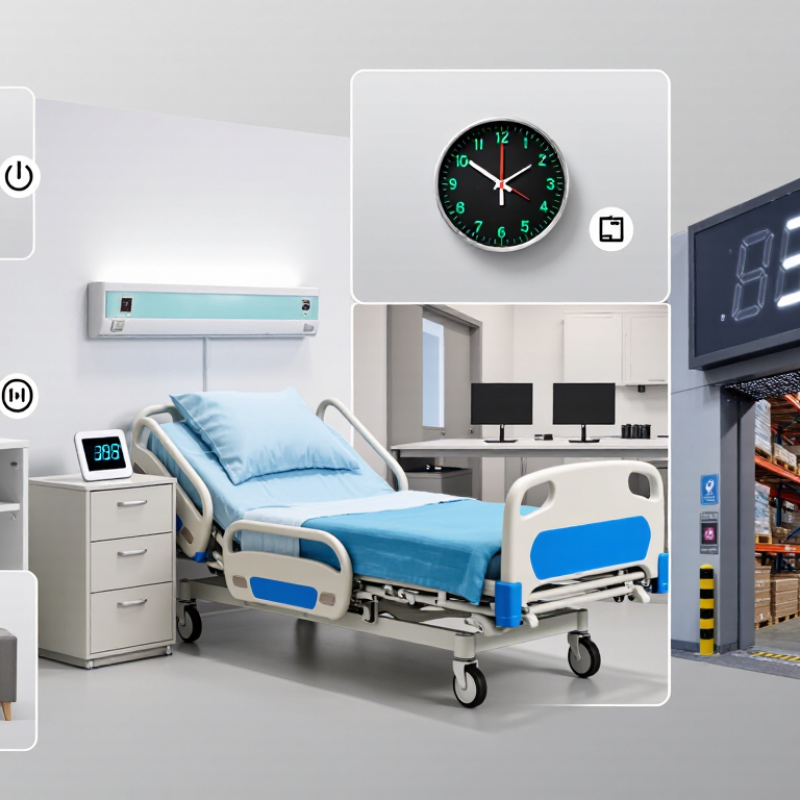
Choosing the best Large Display Digital Clock is not simply a matter of buying the biggest screen. Readability, viewing distance, brightness, accuracy, and power use all affect daily performance. A clock beside a hospital bed needs calm, low-glare numbers. One above a warehouse entrance needs stronger contrast and wider viewing angles.
Recent market analyses from Grand View Research and Fortune Business Insights indicate continued growth in digital and smart display products. Their findings connect this growth with improved LED technology, connected devices, and demand for clearer information in homes, workplaces, and public facilities. However, market estimates vary. That difference deserves attention, because “best” depends heavily on the room, user, and installation height.
Don Norman, a leading human-factors and design expert, wrote, “Design is really an act of communication, which means having a deep understanding of the person with whom the designer is communicating.” His point applies directly here. A Large Display Digital Clock should communicate time instantly, even from across a room. It should not force users to squint, move closer, or decode decorative digits. Small details matter. A matte screen can reduce window reflections. Automatic brightness can protect tired eyes at night. Backup power can preserve time during short outages.
I may be overvaluing visibility if accuracy is ignored. A brilliant display with poor calibration remains unreliable. This guide compares practical features, published market evidence, and real-use limitations. The ideal choice may be less impressive than expected. It should simply remain readable, accurate, and dependable.
Defining a Large-Display Digital Clock: Digit Height, Viewing Distance, and Use
What Is the Best Large Display Digital Clock?
Defining a Large-Display Digital Clock: Digit Height, Viewing Distance, and Use
A large-display digital clock is not defined by its outer case alone. Digit height matters more. From several meters away, thin numerals can blur, especially under glare or weak lighting. For a bedside table, digits around 2.5 centimeters high may be enough. Across a room, 5 to 8 centimeters usually improves readability. Hallways and workshops may need even larger numbers.
Viewing distance should guide the choice. Measure from the clock to the farthest regular viewing position. As a practical rule, each centimeter of digit height supports roughly four to five meters of clear viewing. This estimate changes with eyesight, contrast, and font design. I have found that bold, evenly spaced digits often outperform larger but cramped numbers. A dark display with bright numerals can also reduce visual strain. Not always, though; reflections may make it worse near windows.
Use changes the meaning of “best.” A bedroom clock should offer gentle brightness and simple controls. A kitchen clock needs readable digits from different angles. In a classroom or shared workspace, automatic brightness adjustment can help, but sensors are not perfect. They may dim too far during cloudy afternoons. Check the display while standing, sitting, and walking past it. A clock that looks excellent from one chair may fail elsewhere. Room lighting, mounting height, and personal vision deserve equal attention. There is no universal ideal, and my own first measurement is often too optimistic.
Readability Benchmark: ADA’s 5/8-Inch Minimum Character Height for Signs
What Is the Best Large Display Digital Clock?
Readability should begin with character height, not screen size.
The 2010 ADA Standards specify a minimum 5/8-inch height for raised and tactile characters, measured by the uppercase “I.” This rule mainly applies to permanent room and space signs, not every digital clock. Still, it offers a practical accessibility benchmark.
At 20 feet, a 5/8-inch digit creates a visual angle of about 9 arcminutes. That is readable for many viewers, but distance, contrast, glare, and eyesight change the result. The World Health Organization’s World Report on Vision estimates that at least 2.2 billion people worldwide have near or distance vision impairment. A clock in a dim hallway may need larger digits than the minimum. My own first measurement is often too optimistic.
ANSI/HFES 100-2007 and ISO 9241-303 both emphasize viewing distance, luminance, contrast, and character clarity in display design. For a large digital clock, I would measure the actual illuminated digit, not the outer case. A 1-inch frame does not guarantee a 1-inch character. Use strong contrast, stable brightness, and simple segment shapes. Avoid decorative digits. A 5/8-inch benchmark is useful, but it is not a magic number. Test the clock from 20, 30, and 40 feet, including side angles. The 40-foot result may change your decision.
Durability Benchmark: IEC 60529 IP54–IP65 Ratings for Dust and Water
What Is the Best Large Display Digital Clock?
For a large display clock, durability starts with the enclosure, not the screen size. IEC 60529 ratings offer a practical way to judge resistance against dust and water. An IP54 enclosure provides limited dust ingress protection and resists water splashes from multiple directions. It suits covered walkways, workshops, and indoor areas with occasional moisture.
IP65 provides stronger protection. The enclosure is dust-tight and can withstand low-pressure water jets. That matters near loading bays, pool facilities, agricultural buildings, or outdoor entrances. However, IP65 does not mean waterproof in every situation. It does not automatically protect against immersion, high-pressure cleaning, condensation, or extreme temperature changes.
Installation still matters.
Check the cable glands, mounting joints, and rear panel. A well-rated housing can perform poorly when a connector is loose or a seal is pinched. Large displays also need readable digits under glare, stable mounting, and ventilation that does not weaken protection. In practical inspections, dust often gathers around cable entries before the front panel shows problems. That detail is easy to miss.
The rating has limits. It does not measure impact resistance, ultraviolet ageing, or long-term seal wear. A clock may pass a controlled test yet need more care in a harsh location. Reviewing the actual environment, cleaning method, and installation position gives a more reliable choice than selecting the highest number alone.
What Is the Best Large Display Digital Clock?
Durability Benchmark: IEC 60529 IP54–IP65 Ratings for Dust and Water
Under IEC 60529, the first digit indicates protection against solid particles and the second digit indicates protection against water. Higher digits represent a higher protection level within that category. IP54 is dust-protected against limited dust ingress and splashing water, while IP65 is dust-tight and protected against water jets.