Choosing a Large Display Digital Clock in 2026 is not just about picking the biggest numbers on a shelf. The right model should be easy to read from your bed, kitchen table, or across a shared room. Measure the viewing distance before comparing screen sizes; a display that looks impressive online may feel too bright or awkward at home. Small details count.
This guide explains how to compare digit height, contrast, brightness controls, power options, and useful features such as alarms or date displays. It also considers where the clock will sit. A model beside a sunny window may need different visibility than one used in a dim bedroom. Check whether settings are simple to change, whether the power cord reaches an outlet, and whether battery backup preserves the time during an outage. That feature may not keep the display lit, so verify the product details.
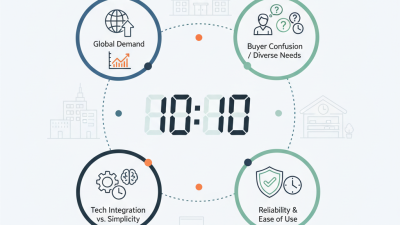
Product specifications can be inconsistent, and photographs rarely show how a clock looks from across a room. Treat advertised viewing distances as estimates, not guarantees. When possible, compare return terms, warranty coverage, and recent buyer feedback alongside the listed dimensions. More features do not always mean a better choice. A large clock with confusing controls can become a daily annoyance, while a basic, clearly readable model may suit your needs. The best choice depends on who will use it, where it will go, and which compromises you can accept. This guide offers a practical way to weigh those trade-offs before you buy.
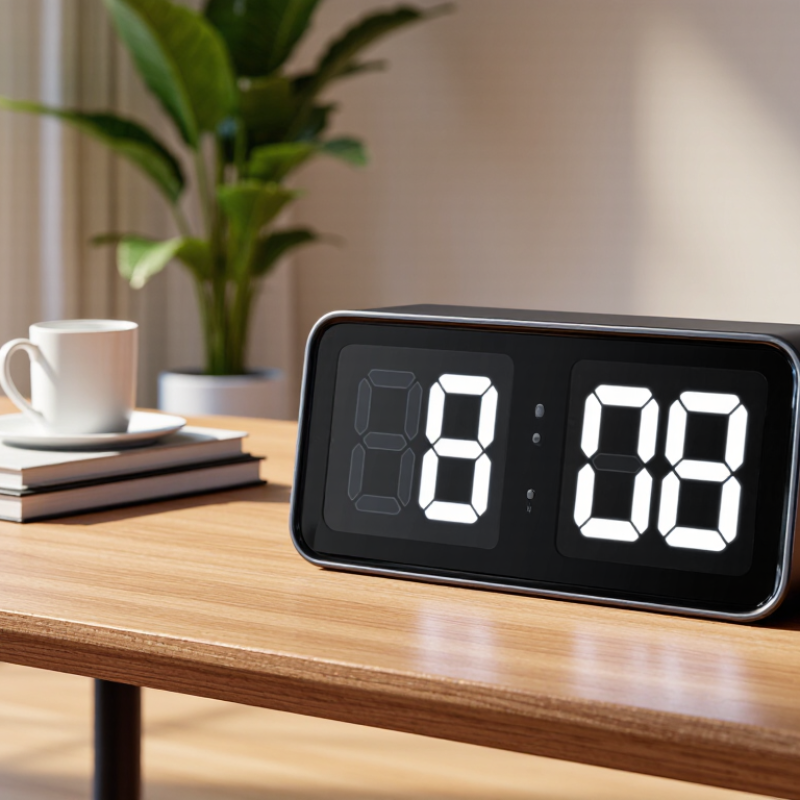
A large display clock should solve a specific visibility problem, not merely look impressive online. Identify who will read it and from what distance. In a bedroom, check whether the digits are clear from your usual pillow position, with the lights off. A dimmer matters there; bright digits can feel harsh at night. In a kitchen, steam, window glare, and viewing angles may matter more than an oversized screen. Measure the wall or shelf. A clock that crowds a narrow counter can become an annoyance.
In a shared office, choose a display that is legible from the farthest seat, without reflections from overhead lights. High contrast and clearly separated numerals can help people with reduced vision. Test the display in person, if possible. If the clock will serve as an alarm, check that its controls are easy to reach when you are half-awake. For a classroom or workshop, consider whether people can read it while standing at the back. I still find that product photos make displays look clearer than they seem across a real room. A quick distance test can prevent a disappointing choice.
Suggested digit heights are approximate starting points based on the common sign-legibility rule of about 1 inch of character height per 10 feet of viewing distance. For clocks in bright rooms, across large spaces, or viewed by people with reduced vision, consider larger digits and check readability in the actual lighting conditions.
A large-display digital clock is useful only when its numbers are clear from where you actually need to read them. Compare LED and LCD displays in the room’s normal lighting. LED digits can look vivid across a dim bedroom, but may feel harsh at night. LCD displays often use less power, though some need a backlight to remain legible in a dark room. Check whether that light stays on, dims automatically, or requires a button press. Small detail. It matters.
Measure your viewing distance before choosing a size. For a bedside clock, digit height and viewing angle may matter more than a wide outer case. In a kitchen or shared living space, larger digits can be easier to spot from across the room, especially when glare comes from a window. Look for strong contrast between the numbers and background, and consider whether the display is readable from the side. A useful test is to view it from your usual chair or pillow, not just from directly in front. One easy-to-miss trade-off: very bright digits attract attention, but can disturb a dark room. Readability is personal, and the ideal setting may take a little adjustment.
A large display is useful only when you can read it from your usual seat or bed. Check the digits from several angles, not just straight on. High contrast helps, while adjustable brightness can prevent a glowing clock from disturbing a dark room. Timekeeping also deserves a closer look. Check whether the clock updates automatically, how it handles daylight-saving changes, and whether it keeps time after a power interruption. A backup battery may preserve settings, but it may not keep the display lit. Read the manual carefully.
Tips: Set an alarm and test it from across the room. Make sure its sound is clear, adjustable, and easy to switch off. If you rely on a gentle wake-up, a very loud alarm may be a poor fit.
Accessibility features should match the person using the clock. Large, high-contrast numbers support quick reading; simple buttons and clear labels make setting alarms less frustrating. A dimmer, spoken time, or a second alarm can also help, depending on daily needs. Try the controls before buying, if possible. Small buttons can look manageable in a product photo and feel awkward in real life. No feature list can predict every routine, so consider who will set the clock and where it will sit.
| Evaluation Dimension | What to Check | Useful Selection Guidance | Why It Matters |
|---|---|---|---|
| Timekeeping method | Check whether the clock uses quartz timekeeping, receives a regional radio time signal, or connects to a network. | Choose a method that suits the intended location. Radio-controlled clocks depend on compatible signals and reception; network-connected models depend on network access. | Signal coverage, reception conditions, and connectivity can affect automatic time updates. |
| Time accuracy and adjustment | Look for clear instructions for setting the time and correcting it after a power interruption or time-zone change. | Check the maker’s stated accuracy and whether manual adjustment is available if automatic synchronization is unavailable. | Different timekeeping systems and operating conditions can produce different levels of accuracy. |
| Daylight saving time and time zones | Check whether daylight saving time adjustment is automatic or manual, and whether the clock supports the required time zone. | Confirm that the available settings match the location where the clock will be used. | Automatic adjustment is not universal and may depend on the clock’s signal, settings, and region. |
| Display size and viewing distance | Compare the stated digit height, display dimensions, and recommended viewing distance where available. | Choose digits that are easy to read from the usual viewing position; check the display in person or review clear product images if possible. | A large overall clock does not necessarily have large digits, and readability changes with distance. |
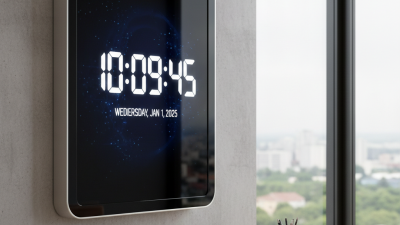
| Display contrast and brightness | Check digit contrast, viewing angle, glare, and whether brightness is adjustable or can be dimmed at night. | Consider the room’s lighting and whether the clock will be viewed in daylight, darkness, or both. | Reflections, low contrast, or excessive brightness can make a display harder to read. |
| Time format and information | Check for 12-hour or 24-hour format and whether the display shows the date, day of the week, or indoor temperature. | Prioritize the information that is useful at a glance; make sure secondary details do not make the time harder to see. | Additional indicators can be helpful, but a crowded display may reduce clarity. |
| Alarm operation | Check the number of alarms, sound options, volume adjustment, alarm duration, and whether snooze is available. | Choose controls and alarm behavior that suit the user’s routine. If multiple people need different wake-up times, check for separately configurable alarms. | Alarm features vary, and the number of alarms alone does not indicate how independently they can be set. |
| Alarm visibility and feedback | Check whether an active alarm is clearly indicated and whether the clock gives audible or visual feedback when settings change. | Look for simple confirmation of alarm status and easy-to-identify controls. | Clear feedback can help prevent missed alarms or accidental changes. |
| Accessibility and controls | Assess button size, labeling, tactile distinction, menu complexity, and the effort required to set the time or alarm. | Prefer controls that can be identified and operated comfortably by the intended user, including without relying only on small on-screen labels. | Accessible controls can make routine adjustments easier for people with low vision or limited dexterity. |
| Power and backup | Check whether the clock uses mains power, batteries, or both, and what a backup battery preserves during an outage. | Verify whether backup power keeps the display lit or only retains settings and time; confirm battery type and replacement access. | Backup behavior differs by model, so battery presence alone does not guarantee continuous display operation. |
| Placement and mounting | Check the clock’s dimensions, weight, stand stability, wall-mounting provisions, and required power-cable reach. | Measure the intended space and consider viewing angle, nearby outlets, and whether the clock will sit on a surface or hang on a wall. | Suitable placement affects visibility, stability, and access to controls. |
| Setup and ongoing use | Review the clarity of setup instructions and how easily users can change brightness, format, time, and alarm settings. | Favor a setup process that matches the user’s comfort with menus and technology. | A feature-rich clock may be less practical if common settings are difficult to find or change. |
Buying tip: Before choosing, compare the clock’s digit size, alarm behavior, time-update method, and backup-power function against the actual room and user needs. Confirm specifications in the product documentation, since features and performance vary by model.
How to Choose a Large Display Digital Clock in 2026?
Check Power Options, Placement, and Maintenance Needs
A large display is useful only when you can read it from your usual seat. Before buying, check whether the clock uses an outlet, batteries, or both. An outlet avoids frequent battery changes, while battery backup can preserve settings during a brief outage. It may not keep a bright display running for long. That detail is easy to miss.
Tips: Measure the viewing distance and check the digits in daylight and at night. Keep the power cord away from walkways. If using batteries, note the type and how easily the compartment opens.
Placement affects more than visibility. A clock facing a sunny window may become hard to read because of glare. Near a bed, dimming controls can prevent an overly bright display from disrupting sleep. Check that the outlet is reachable before choosing a shelf or wall. It is tempting to plan around a neat-looking spot, then discover the cord barely reaches. Leave room to clean the screen and replace batteries. Dust can dull the display, so wipe it gently with a dry, soft cloth. Avoid spraying cleaner directly onto the clock. A simple maintenance check every few months can catch loose cables or fading digits early.
When comparing large-display digital clocks, pay for visibility before extra features.
The World Health Organization’s World Report on Vision estimates that at least 2.2 billion people have near or distance vision impairment. That makes digit height, contrast, and viewing distance practical priorities, not cosmetic details. Check the display from your bed or across the room, in daylight and with the lights off. Check it at night.
A dimmer or automatic brightness setting can prevent glowing digits from lighting the whole bedroom. If you have low vision, test the actual viewing angle; a large display can still wash out from the side.
Set a budget around the features you will use daily.
A basic clock may cover time and alarm needs, while extra spending can add multiple alarms, temperature readings, or battery backup. Compare power requirements and replacement-battery costs, too. A backup battery may preserve settings during an outage, but it may not keep the display lit. That matters.
I would hesitate to pay more for features I cannot verify in person; specifications can look impressive and still feel awkward at bedside. For a kitchen or workshop, larger digits and a sturdy stand may matter more than dimming.
The right balance depends on where the clock sits, who reads it, and whether its controls are easy to reach. WHO’s figure covers vision impairment broadly, not clock use specifically, so treat it as context—not a buying rule.