Leave Your Message
China’s electronics manufacturing base offers buyers a wide range of options for sourcing an Electronics Calendar, from compact desk displays to larger wall-mounted units. This guide introduces ten China-based suppliers for buyers to investigate, rather than presenting a universal ranking. Product lines, factory capabilities, and export experience can change, so each company’s current information should be checked directly.
A useful comparison starts with the details that affect everyday use. Check screen size and readability, date and language settings, power options, button layout, and whether the device supports alarms or reminders. Ask for a sample. Test it on an actual desk, in typical room lighting, and with the intended power source. Small details matter: a weak stand, confusing controls, or a dim display may frustrate users more than a modest price difference.
Look beyond the product page. Request clear specifications, confirm whether customization is available, and ask how the supplier handles quality checks, packaging, and replacement parts. For larger orders, discuss sample approval and inspection arrangements before production begins. These steps do not guarantee a smooth project, but they make gaps easier to spot. Supplier profiles can help narrow the field; they cannot replace direct verification. Some listing details may be incomplete, and that deserves a second look. Compare the evidence, ask specific questions, and choose a supplier whose product and communication fit your needs.
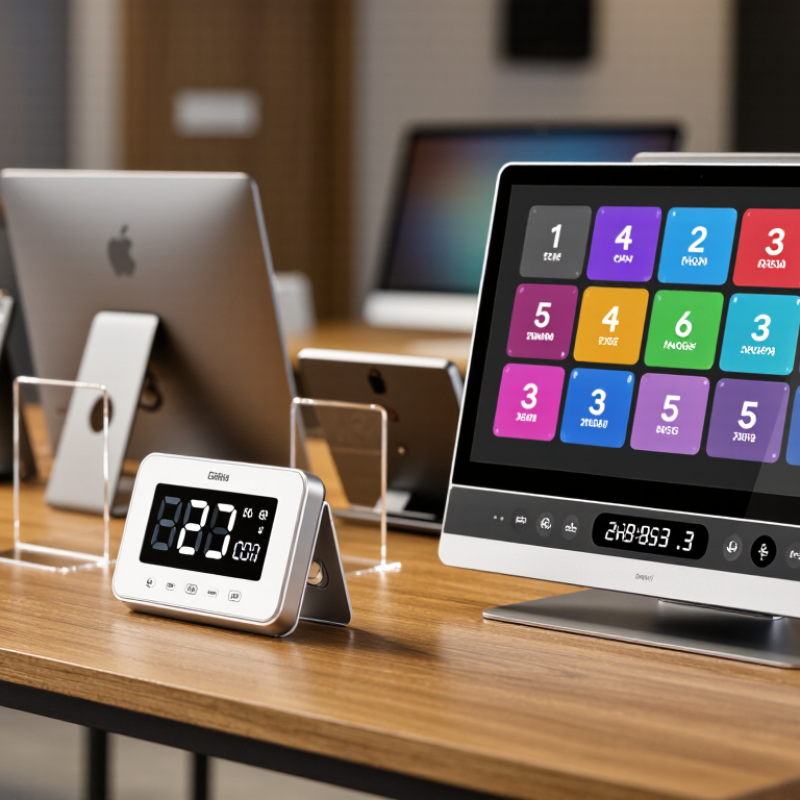
An electronic calendar is defined by more than its date grid. Its display determines how easily people read it across a room. LCD panels suit clear text and low-power operation; e-paper can remain readable without constant refresh. Ask suppliers for viewing-angle, brightness, and operating-temperature specifications. A bright screen may look impressive in a showroom, yet feel harsh beside a bed.
Power and connectivity shape daily use. Compare battery life under stated refresh settings, not just standby claims. For plug-in models, check adapter output and power-loss recovery. IoT Analytics estimated 18.8 billion connected IoT devices worldwide by the end of 2024, in its State of IoT 2024 report. That wider ecosystem makes Wi-Fi, Bluetooth, or offline operation worth specifying. Still, more connectivity can mean more setup and maintenance. It is easy to overlook that cost.
Tips: Request a sample and test it in the intended room. Check whether dates remain visible during network outages. Ask for measured power use, update frequency, and supported connection standards. Small details matter. Supplier specifications are not always directly comparable, so record the test conditions before choosing.
| Profile | Typical Product Type | Display | Power | Connectivity | Common Functions | Typical Sourcing Considerations |
|---|---|---|---|---|---|---|
| Profile 1 | Compact digital desk calendar | 3–5-inch monochrome or color LCD; basic segmented or dot-matrix layout | AAA batteries or USB power; battery operation is typically suited to low-power displays | Usually none; some models include Bluetooth for setup | Date, weekday, time, temperature, alarm, and snooze | Check viewing angle, date format options, button layout, and battery life under the intended usage pattern. |
| Profile 2 | Large-screen wall calendar and clock | 8–15-inch LCD; commonly used for large date and time readouts | AC adapter or USB power; some models include a backup battery for clock settings | Often none; optional Wi-Fi or Bluetooth on connected versions | Calendar, clock, alarms, indoor temperature, and adjustable brightness | Confirm wall-mounting method, screen readability at distance, power-adapter requirements, and backup behavior. |
| Profile 3 | E-paper or e-ink calendar display | Approximately 7–13-inch reflective e-paper display; content remains visible without continuous screen refresh | Rechargeable battery or USB power; low refresh frequency can reduce energy use | Wi-Fi or Bluetooth may be used for calendar updates; some versions use USB transfer | Date, agenda, reminders, and customizable calendar views | Ask about refresh time, supported file or calendar formats, update method, and performance in low light. |
| Profile 4 | Connected family calendar display | 10–15.6-inch color LCD, often with a touch interface | Continuous USB-C or DC-adapter power is common | Typically 2.4 GHz Wi-Fi; Bluetooth may support setup or peripherals | Shared schedules, reminders, task lists, and multiple user profiles | Verify app and cloud-service requirements, privacy controls, language support, and the availability of offline functions. |
| Profile 5 | LED calendar clock | LED segment display for time and date, sometimes paired with a small LCD for additional information | USB or AC adapter; coin-cell or other backup battery may preserve settings | Usually none; radio-controlled time reception depends on the target market and local signal availability | Time, date, weekday, alarm, and brightness adjustment | Check LED brightness levels, time format, backup-battery function, and regional timekeeping requirements. |
| Profile 6 | Portable battery-powered calendar | Small LCD, generally around 2–5 inches, designed for low-power operation | Replaceable batteries or rechargeable battery; runtime varies with screen type and update frequency | Typically none; some products support Bluetooth synchronization | Date, time, alarms, countdowns, and basic reminders | Request measured battery-life conditions and confirm whether settings are retained during battery replacement. |
| Profile 7 | Calendar alarm-clock combination | LCD or LED display with separate areas for time, date, and alarm information | USB or AC power, often with battery backup | Generally none; Bluetooth audio is an optional feature on some configurations | Calendar, dual alarms, snooze, temperature, and selectable 12/24-hour display | Clarify alarm volume options, display dimming, daylight-saving settings, and whether the backup battery powers the screen. |
| Profile 8 | Commercial information and calendar display | Approximately 15–32-inch LCD panel; touch capability is optional | AC power; power consumption depends on panel size and brightness | Wi-Fi or Ethernet; USB may be available for local content updates | Calendar layouts, event notices, schedules, and rotating informational content | Review mounting orientation, operating-hour requirements, content-management method, and panel warranty terms. |
| Profile 9 | Smart-home calendar panel | 7–15.6-inch color touchscreen, typically based on an LCD panel | USB-C or DC adapter for regular operation | Wi-Fi is common; Bluetooth may be used for initial pairing or accessory connection | Calendar views, reminders, weather information, and optional smart-home controls | Confirm supported calendar services, software-update policy, account requirements, and compatibility with the intended region. |
| Profile 10 | OEM or embedded electronic-calendar platform | Display selected for the project, including LCD, LED, or e-paper modules | Configured for the product enclosure, such as USB, DC input, or battery power | Optional Wi-Fi, Bluetooth, Ethernet, or no wireless connectivity | Custom calendar interface, localized date formats, alarms, reminders, and product-specific functions | Define display, firmware, enclosure, compliance, tooling, sample approval, and production-volume requirements before quotation. |