A Digital Calendar is more than a paper schedule moved onto a screen. It is a time-management system that stores events, reminders, invitations, and availability in one searchable place. As Laura Mae Martin, Google’s Executive Productivity Advisor, puts it, “Your calendar is your most important productivity tool.” That idea sounds simple, but many people still use calendars only to remember meetings.
A Digital Calendar works through dates, time zones, event records, and synchronization. When you create a dentist appointment, the system saves its title, location, duration, and alert settings. Cloud synchronization then updates the event across your phone, laptop, and other connected devices. It can also send invitations, compare availability, and create recurring events for weekly tasks. A small notification may prevent a missed deadline.
The process is practical, but not perfect. A calendar cannot understand every personal priority or emotional limit. It may reserve an hour for a meeting, while travel, preparation, and recovery require more time. Time-zone changes can also create confusion. I have seen carefully planned days become unrealistic after one delayed appointment. That weakness matters.
This guide explains how a Digital Calendar operates, what its core features do, and where human judgment remains necessary. It also considers privacy, notification overload, and inaccurate scheduling. A useful calendar should reduce mental clutter, not create another stream of pressure. Sometimes, leaving space is the most accurate plan.
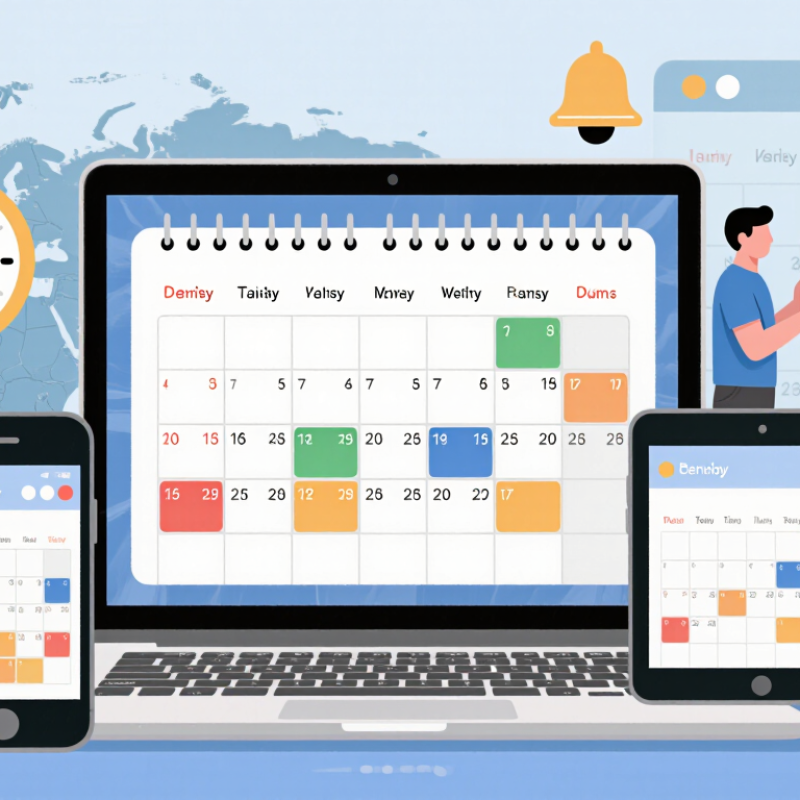
A digital calendar is a structured record of time. It organizes events, appointments, reminders, and personal plans in a searchable format. Each event usually includes a title, date, start time, and end time. It may also contain a location, notes, participants, or an alert.
Metadata gives an event its context. For example, a meeting scheduled for 10:00 a.m. can include a room number, a preparation note, and a repeat pattern. These details help the calendar display information correctly and trigger timely reminders. Time-based records also show how plans change. A cancelled appointment, edited deadline, or moved task can reveal the history of a schedule. Small details matter. A dependable calendar separates an event’s visible title from its supporting metadata, reducing confusion during busy days.
From practical use, I have learned that digital calendars work best when entries remain specific. “Call about project” is weaker than “Call supplier about delivery at 2 p.m.” Still, even careful users make mistakes. I sometimes add an event without checking its time zone or duration. That small error can disrupt an entire day.
Tips: Add clear titles and realistic durations. Include locations, preparation notes, and useful alerts. Review recurring events regularly, because old routines may continue after circumstances change. Keep sensitive details limited, especially when a calendar is shared.
A digital calendar stores dates and events as structured data. ISO 8601 gives that data a consistent format. A date may appear as 2026-10-17. The order is year, month, and day. This avoids confusion between regional formats, especially when people schedule across countries.
Time can be written as 14:30:00, using the 24-hour clock. A time zone adds meaning to that clock reading. The letter Z represents Coordinated Universal Time, while +08:00 means eight hours ahead of UTC.
For example, 2026-10-17T14:30:00+08:00 identifies a precise local time. Digital calendars use this information to display events correctly on different devices. Daylight-saving changes can still cause mistakes. I have found that a missing offset often creates more trouble than an incorrect event title.
Tips: Check the full timestamp before confirming travel or online meetings. Include the time-zone offset when sharing important schedules. Use the T between the date and time. Avoid assuming that “2 p.m.” means the same moment everywhere. This small habit improves accuracy.
What Is a Digital Calendar and How Does It Work?
How RFC 5545 Stores and Exchanges iCalendar Event Data
A digital calendar stores events as structured data, not merely colored boxes on a screen. RFC 5545 defines the iCalendar format for recording and exchanging that data. Each file usually begins with VCALENDAR and contains one or more VEVENT components. An event may include SUMMARY, DESCRIPTION, LOCATION, DTSTART, and DTEND properties. These fields describe what happens, where it happens, and when it starts or ends.
Every event needs a stable UID and a DTSTAMP value. The UID helps systems recognize the same event during updates. DTSTAMP records when the event data was created or changed. Recurring meetings use RRULE, while EXDATE can remove selected occurrences. A timezone may appear through a TZID parameter or a VTIMEZONE component. This detail matters. A meeting at 9:00 in one region may shift unexpectedly elsewhere.
In practice, iCalendar files are plain text with strict formatting rules. Lines normally use CRLF endings, and long lines may be folded. Commas, semicolons, and backslashes require escaping inside text values. Calendar systems can exchange these files through attachments, links, or scheduling services. RFC 5545 describes the data format, while related scheduling standards handle invitations and replies. The format is reliable, but not flawless. A missing timezone or altered UID can create duplicate events. I still recheck imported meetings manually, especially after daylight-saving changes.
| Data Dimension | RFC 5545 Element | What It Stores | How It Works in a Digital Calendar | Example Value |
|---|---|---|---|---|
| Calendar Object | VCALENDAR |
The top-level container for one or more calendar components. | Groups the calendar metadata and event records into a structured iCalendar object. | BEGIN:VCALENDAR |
| Standard Version | VERSION |
The iCalendar specification version used by the data. | Allows a calendar application to identify the format rules that apply to the calendar object. | VERSION:2.0 |
| Product Identifier | PRODID |
A text identifier describing the source or implementation that created the calendar data. | Provides origin information but does not define the event’s date, time, or location. | PRODID:-//Example Calendar//EN |
| Event Component | VEVENT |
A scheduled event, appointment, meeting, reminder, or time-based activity. | Stores the core record that calendar software displays to users. | BEGIN:VEVENT |
| Unique Identity | UID |
A globally unique identifier for an event. | Helps calendar systems recognize the same event when it is exchanged, updated, or synchronized. | UID:event-20261017-001@example.invalid |
| Creation Timestamp | DTSTAMP |
The date and time when the iCalendar object was created or last updated for the purpose of processing. | Provides a time reference that can support synchronization and change detection. | DTSTAMP:20261017T120000Z |
| Event Start | DTSTART |
The beginning date and time of the event. | Determines when the event appears to start on a calendar view. | DTSTART:20261020T090000Z |
| Event End | DTEND |
The ending date and time of an event. | Defines the event’s duration when an explicit end time is provided. | DTEND:20261020T100000Z |
| Event Duration | DURATION |
The length of an event expressed as a duration. | Can specify the event length instead of using an explicit DTEND; it must not be used together with DTEND for the same event. |
DURATION:PT1H |
| Event Summary | SUMMARY |
A short human-readable title for the event. | Appears as the main label in calendar grids, lists, notifications, and event details. | SUMMARY:Project Review |
| Description | DESCRIPTION |
Additional text describing the event. | Stores notes, instructions, agendas, preparation details, or other event information. | DESCRIPTION:Review the quarterly schedule |
| Location | LOCATION |
The physical or virtual place associated with the event. | Displays where participants should attend or access the activity. | LOCATION:Conference Room A |
| Time Zone | VTIMEZONE |
Rules for interpreting local times, including standard-time and daylight-saving transitions. | Helps applications convert and display event times correctly across regions. | TZID:Europe/Paris |
| Recurrence | RRULE |
A rule describing how an event repeats. | Generates recurring instances such as daily, weekly, or monthly events without storing every occurrence separately. | RRULE:FREQ=WEEKLY;COUNT=4 |
| Excluded Occurrence | EXDATE |
A date or date-time excluded from a recurring event series. | Removes a specific occurrence when a recurring event does not take place on an otherwise scheduled date. | EXDATE:20261027T090000Z |
| Included Occurrence | RDATE |
Additional dates or date-times added to an event series. | Supports irregular recurring schedules that cannot be represented by a single recurrence rule. | RDATE:20261105T090000Z |
| Participation Role | ATTENDEE |
A person or resource invited to or associated with the event. | Can carry participation details such as role, response status, and participation type. | ATTENDEE;ROLE=REQ-PARTICIPANT:mailto:person@example.invalid |
| Organizer | ORGANIZER |
The calendar user or entity responsible for organizing the event. | Identifies the source responsible for coordinating invitations and event changes. | ORGANIZER:mailto:organizer@example.invalid |
| Availability Status | STATUS |
The current state of the event. | Can indicate whether an event is confirmed, tentative, or cancelled. | STATUS:CONFIRMED |
| Transparency | TRANSP |
Whether the event blocks the user’s free/busy time. | OPAQUE generally blocks availability, while TRANSPARENT does not. |
TRANSP:OPAQUE |
| Reminder | VALARM |
A trigger and action for an event reminder. | Allows compatible calendar applications to generate alerts before or after an event. | TRIGGER:-PT15M |
| Data Exchange | .ics |
A common file extension associated with iCalendar data. | Enables calendar events to be exported, imported, attached to messages, or transferred between compatible systems. | meeting.ics |
| Date-Time Format | ISO-like iCalendar date-time syntax | Structured date and time values, often using the T separator and Z for UTC. |
Creates an unambiguous machine-readable representation of event times. | 20261020T090000Z |
| Line Structure | Content lines | Property names, optional parameters, and property values separated by a colon. | Allows calendar software to parse event information consistently; long lines may be folded according to the specification. | SUMMARY:Project Review |
A digital calendar stores events as structured data, not handwritten notes. Each event may include a title, time zone, recurrence rule, location, attendees, and a unique identifier. When you edit an event, the change travels to a server and then reaches connected devices. The 2024 State of the Cloud Report found that 89% of organizations operate across multiple cloud environments. Calendar synchronization therefore needs consistent rules, not only fast internet connections.
CalDAV uses WebDAV methods to manage calendar collections and iCalendar objects. A device can request changes with a sync report, compare entity tags, and upload updates through HTTP. The standard also supports incremental synchronization, which reduces unnecessary downloads. Cloud APIs often use JSON, access tokens, and webhooks. A webhook can alert an application immediately, while a later API request confirms the exact event data. RFC 4791 defines CalDAV behavior, and RFC 5545 defines the iCalendar format.
Synchronization still has rough edges. Two people may edit the same meeting within seconds. Servers then need conflict rules, version checks, and reliable time-zone handling. Recurring events are especially difficult when daylight-saving rules change. In practice, “real time” often means near real time. That distinction matters. A 2024 industry cloud survey reported that 73% of organizations use hybrid cloud models, increasing the number of systems that must exchange calendar data. A careful implementation should log failed updates, retry safely, and show users when a conflict needs attention.
A digital calendar is a scheduling system that stores events as structured information. Each event usually includes a title, time, location, participants, and notes. Unlike a paper planner, it can repeat an event and alert people automatically.
Recurrence rules control how often an event appears. A team meeting might repeat every Tuesday at 10:00 a.m. for twelve weeks. A dentist appointment could repeat every six months, with a fixed end date. More advanced rules can exclude holidays, skip one week, or move an occurrence after a cancellation. These details matter because “every month” can mean a fixed date or a specific weekday. I have seen schedules become confusing when users choose the wrong pattern.
Notifications turn calendar data into timely actions. A reminder may appear one day before an appointment, then again fifteen minutes before it begins. Some systems send email alerts, mobile messages, or pop-up notices when an event changes. They may also warn participants about overlapping commitments. Notification settings should reflect real attention spans, not ideal behavior. A busy technician may need a two-hour warning before traveling to a job site. A short reminder may be enough for a ten-minute call.
Accuracy still needs human review. Time-zone changes, daylight-saving adjustments, and missed invitations can create errors. I once treated a recurring event as permanent, although its final date was already approaching. Checking the recurrence end date and notification time prevents small mistakes from spreading across an entire schedule.