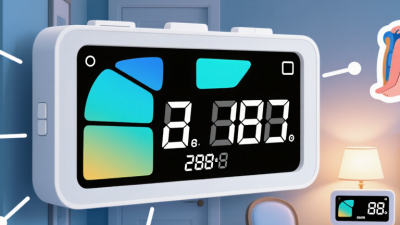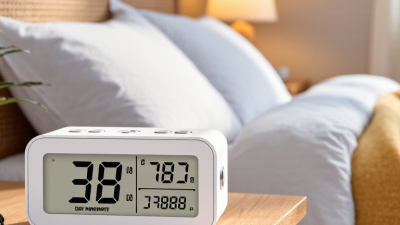
An unfamiliar weekday can unsettle a senior with memory loss. A clear Alzheimer Clock may show the time, day, date, and part of the day in large, readable text. Some models also offer reminders or alarms. These features can support daily routines, but they do not treat Alzheimer’s disease or prevent its progression.
The scale of need is significant. The Alzheimer’s Association’s 2025 Alzheimer’s Disease Facts and Figures report estimates that 7.2 million Americans aged 65 and older are living with Alzheimer’s. The World Health Organization reports that about 55 million people worldwide live with dementia, with nearly 10 million new cases each year. Numbers matter. So does the person at home, squinting at a small display beside a dim lamp.
Psychologist and dementia advocate Richard Taylor, who lived with dementia, said, “I am not a person with Alzheimer’s. I am a person with dementia.” His words offer a useful reminder: choose aids around a person’s habits and preferences, not only a diagnosis. In this guide, we compare seven clocks for seniors in 2026, considering screen clarity, setup, reminders, power options, and value. A clock that helps one household may frustrate another. That trade-off deserves attention. We also note where product claims need careful checking, because “easy to use” can mean different things to a caregiver and the person using it.
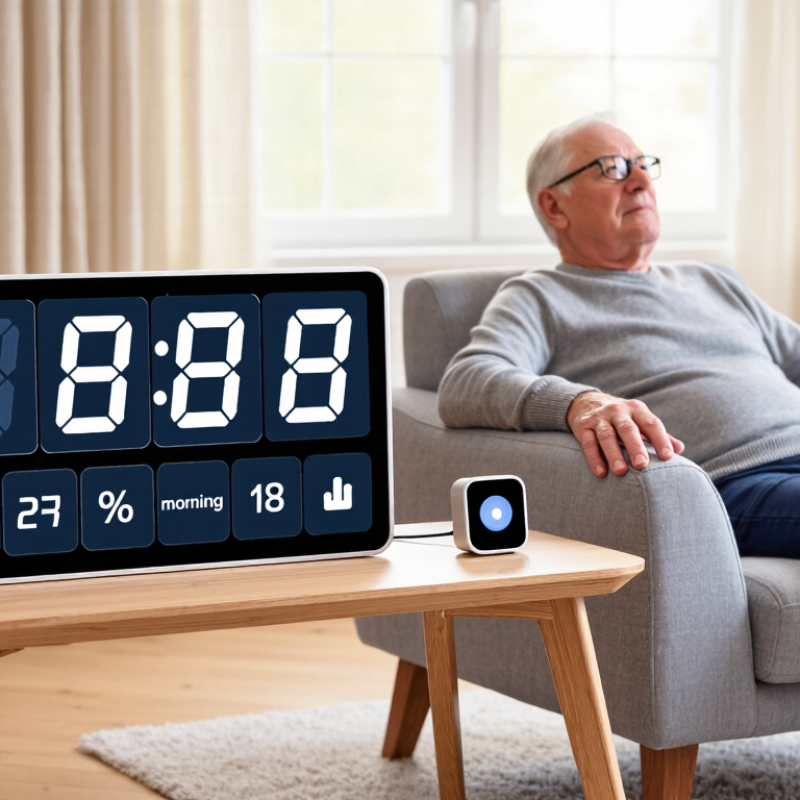
Alzheimer clocks are orientation aids that display the time, day, and date in a clear, familiar format. Unlike a small wall clock, many use large lettering and spell out the day, such as “Tuesday morning.” Some also show whether it is morning, afternoon, evening, or night. That extra cue can make a bedroom feel less confusing after waking.
Simple helps. A senior might glance at the display while choosing clothes or waiting for lunch. High contrast, steady brightness, and plain wording can be easier to read than decorative designs. Place the clock where it is visible from bed or a favorite chair, but avoid glare from a window. Keep it at eye level. Small details matter.
A clock can support a daily routine, but it cannot prevent every moment of disorientation. People’s needs differ, and a display that helps one person may feel distracting to another. Check that the time and date stay accurate after a power outage; an incorrect display can add confusion. Notice how the person responds over several days, and adjust the placement or brightness if needed. It may take some experimenting. A clock works best as one gentle cue alongside familiar routines and calm reminders.
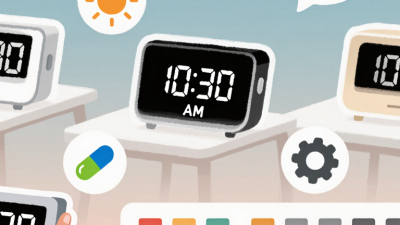
When comparing Alzheimer’s clocks, look for clear day, date, and time displays, with the day of the week written out. A simple “Tuesday morning” label may be easier to understand than a row of numbers. Check that the text is large, high-contrast, and readable from the bed or favorite chair. Adjustable brightness matters, too. A brighter screen is not always better; glare can be tiring in a dim room. A feature list may look impressive, but the clock should feel simple to use.
Consider alarms, power backup, and setup. Gentle reminders for meals or appointments can support a familiar routine, but too many alerts may cause confusion. Look for controls that a caregiver can set without navigating complicated menus. Battery backup can preserve the time after a brief outage, though it may not keep every feature running. If possible, test the display in the room where it will be used, both during the day and at night.
Tips: Ask the senior to read the display from their usual seat. Keep reminders brief and consistent. Check whether the clock automatically adjusts for daylight saving time, and confirm its settings after a power interruption. A clock can help with orientation, but it may not suit everyone; preferences and needs can change over time.
A clock can make a confusing morning feel more manageable, though it cannot treat Alzheimer’s disease. In 2026, consider seven styles for different routines. A large-display day-and-date clock shows the weekday and date in bold letters. A high-contrast analog clock offers familiar hands and a clear face. A daypart clock spells out “morning,” “afternoon,” or “night,” which may help when numbers alone feel unclear.
A talking clock reads the time aloud at a button press. A combined clock and calendar displays appointments beside the date. A bedside clock with dimmable lighting may be easier to read without brightening a dark room. A reminder clock can show prompts for meals, hydration, or scheduled medicines. Check whether its alerts are adjustable; loud or frequent sounds can become stressful.
Look for simple controls, a stable base, and a display visible from the usual chair or bed. Test the clock at different times of day. Glare can hide even large digits. Ask the older adult which display feels comfortable, and involve a clinician or pharmacist when setting medication reminders. Preferences can change, and one helpful feature may later become irritating. That part is easy to overlook. A clock is most useful when its information is accurate and its instructions stay familiar.
Set the clock where your family member naturally pauses, such as beside the breakfast chair or across from the bed. Choose a clear display showing the day, date, and time of day. The Alzheimer’s Association’s 2025 Alzheimer’s Disease Facts and Figures report estimates that 7.2 million Americans aged 65 and older are living with Alzheimer’s. A steady visual cue may support orientation, but it cannot replace personal care.
Set the correct time and date, then check that the display changes properly at midnight. Keep the clock at eye level, away from window glare. Use a familiar routine: point to the display when saying, “It’s Tuesday morning,” rather than quizzing or correcting. Give the person a few seconds to look. Small details matter. A ticking sound or bright screen can bother some people, so adjust the placement or settings and observe their response. I might assume a larger display is always better; it is not, if the light disrupts sleep.
Review the setup after a few days. The World Health Organization reports that more than 55 million people worldwide live with dementia, underscoring how many households need practical support. Still, one clock will not suit everyone. If confusion worsens or the display causes distress, ask a clinician or occupational therapist for individualized guidance. Keep medication, appointment, and safety reminders separate unless a caregiver can verify them.
This illustrative schedule shows how a clock can make familiar daily routines easier to follow. Adjust the times to match the person’s established habits; it is an example, not a medical recommendation.
An Alzheimer’s clock can display the day, date, and time in large, clear text. For some seniors, this visible cue may reduce repeated questions or confusion about morning routines. But it cannot restore memory or replace hands-on support. The Alzheimer’s Association’s 2024 Alzheimer’s Disease Facts and Figures report estimated that 6.9 million Americans aged 65 and older were living with Alzheimer’s dementia. Needs vary widely across this group. A clock that reassures one person may frustrate another.
Limitations matter. Some people may not recognize the display, understand its wording, or remember to look at it. Glare, dim lighting, poor eyesight, and changing symptoms can also reduce usefulness. A clock is not a reliable medication reminder or a safety monitor. Not a treatment. Caregivers should watch for signs of distress and ask a clinician or occupational therapist whether the device fits the person’s needs. A short trial can help reveal what works, though routines may still need adjustment.
Tips: Place the clock where it is easy to see from a chair or bed. Choose readable, high-contrast text and familiar wording. Check that the time stays accurate after power interruptions. Ask the senior how the display feels; their response may change. That detail is easy to overlook.
| Clock Type | May Be Most Helpful For | Useful Features | Limitations and Care Considerations |
|---|---|---|---|
| 1. Large-display digital clock | People who can read familiar numerals but have difficulty seeing a small clock. | Large numerals, clear contrast, and an easy-to-read time display. | A time-only display does not explain the day or date. Glare, dim lighting, or a display that is too bright at night may make it harder to use. |
| 2. Day-and-date calendar clock | People who often lose track of the day, date, or time of day. | Displays the time alongside the day of the week and calendar date; some models spell out morning, afternoon, or evening. | The display can still be confusing if the person does not recognize written day or time-of-day labels. Check that the clock updates correctly, including after power interruptions. |
| 3. High-contrast analog clock | People who have used analog clocks throughout life and can still interpret clock hands. | A simple face, clearly marked numbers, contrasting hands, and minimal decorative detail. | Reading hands requires interpreting their positions, which may become difficult for some people. Avoid assuming an analog clock is easier just because it is familiar. |
| 4. Talking clock | People with low vision or those who find spoken information easier to understand than a display. | Announces the time when activated; some devices also announce the day or date. | Speech may be difficult to hear or understand, and repeated announcements can be disruptive. Consider hearing ability, volume control, and whether the person can operate the controls. |
| 5. Orientation clock with plain-language labels | People who benefit from reminders such as “Tuesday,” “morning,” or “time to get ready.” | Uses words as well as numerals to make the day and time period easier to identify. | Labels and reminders should match the person’s routine and be easy to understand. Too much text or frequent prompts may add confusion rather than reduce it. |
| 6. Reminder-enabled clock | People who can respond to simple prompts for routine activities, with appropriate support. | May provide scheduled visual or audible reminders for meals, appointments, or daily routines. | A reminder does not confirm that an activity was completed or that medication was taken. A caregiver should set and review prompts, and use a separate medication-safety plan when needed. |
| 7. Connected or remotely managed clock | Households where a caregiver needs to update schedules or display information remotely. | May support remote setting changes, shared reminders, or automatic time updates, depending on the device. | Some functions depend on internet access, power, and account setup. Review privacy settings, keep login details secure, and have a backup plan if connectivity fails. |
Care note: An Alzheimer’s clock may support orientation and daily routines, but it does not treat dementia, prevent wandering, or replace supervision and individualized care. Choose a display the person can comfortably see and understand, try it in the intended room, and adjust or remove it if it causes distress.